Files (Drive)
Drive is the MijnBureau file storage application: folders, files, sharing and previews, with Office documents opened in the browser for editing. It is where you keep the files a team works on together, as opposed to Docs, which is for text you write in the platform.
Opening it
- Web:
https://drive.<global.domain> - From the Bureaublad: the files tile
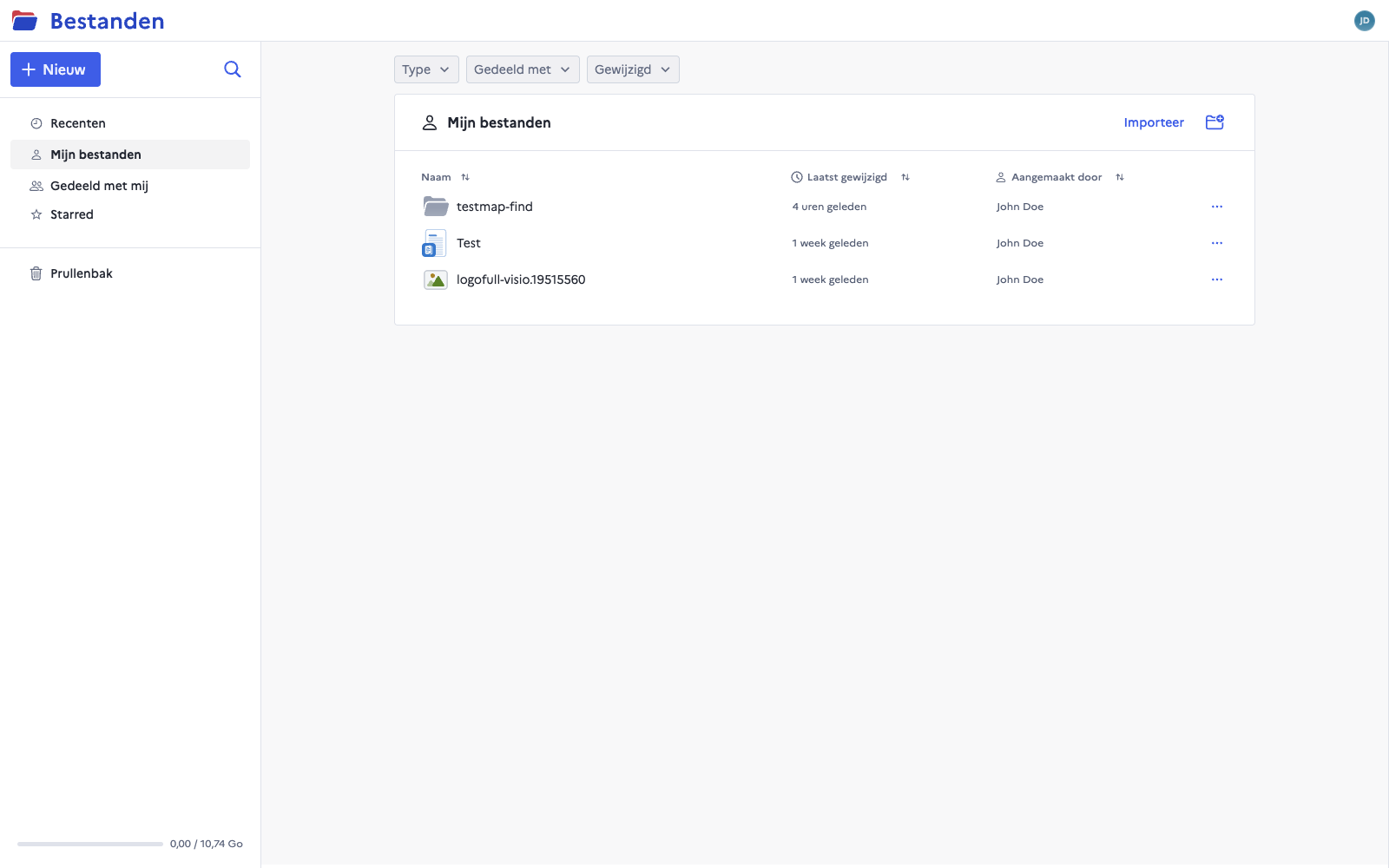
The interface
| Area | What it does |
|---|---|
| Explorer (main) | Your folders and files, with previews and sorting |
| My files | Everything you own |
| Shared with me | Files and folders other people shared with you |
| Recent | What you opened or changed lately |
| Favorites | Items you starred |
| Trash | Deleted items, restorable for a limited period |
Uploading and organising
- Open the folder you want to use (or create one with New folder).
- Drag files from your computer into the window, or use Upload.
- Wait for the progress indicator to finish before closing the tab — large files upload in chunks, and the item only appears for others when the upload completes.
- Rename with the ⋯ menu → Rename; move with drag-and-drop or Move to.
- Star frequently used items so they appear under Favorites.
Subfolders can be nested as deep as you like, but a flat structure with clear names ages better than a deep tree. Use one folder per project or client.
Previewing and opening files
- Click a file to preview it: images, PDFs, video, audio and text render in the browser.
- Office files (Word, Excel, PowerPoint) open in Collabora for viewing and editing — several people can work in the same file at once.
- Other formats can be downloaded; there is no desktop sync client in MijnBureau unless Nextcloud is enabled.
Sharing
- Select the file or folder.
- Open Share.
- Add colleagues by name, or create a link.
- Choose the role: viewer (read), editor (change), or manager (also reshare and delete).
- Optionally set an expiry date on a link and a password, when the dialog offers it.
- Confirm. People you shared with get a notification and find the item under Shared with me.
Sharing a folder applies to everything inside it, including files added later. Review the sharing settings of a folder before you drop confidential work into it.
Working on shared files
- Two people editing an Office document at the same time is supported and safe: Collabora merges changes as you type.
- For text documents that are not Office files, prefer Docs — it is built for co-writing and keeps a version history.
- Download a copy before risky operations (bulk move, big renames); the trash is a safety net, not a backup.
Trash and recovery
- Deleted items go to Trash and can be restored by the owner.
- After the retention period the platform purges them permanently.
- Restoring a file returns it to its original folder; if that folder no longer exists, it lands in My files.
Search
Use the search box in the explorer to search file and folder names. To search inside documents and across applications, use the global search on the Bureaublad — see Search.
Good to know
- Uploaded files are stored in the platform's own object storage; quotas are set by your administrator.
- Links can be revoked at any time from the same share dialog; revoking beats asking people to delete a forwarded link.
- Files inside a shared folder inherit the folder's permissions. Individual overrides are possible but hard to audit — avoid them.
- The Drive admin (storage limits, per-user overrides) is not the place for everyday work; talk to your administrator if you need more space.
Related
- Docs — collaborative documents
- Collabora — editing Office files
- Search — find content across Drive and Docs
- Component documentation — how Drive is deployed