Software System overview
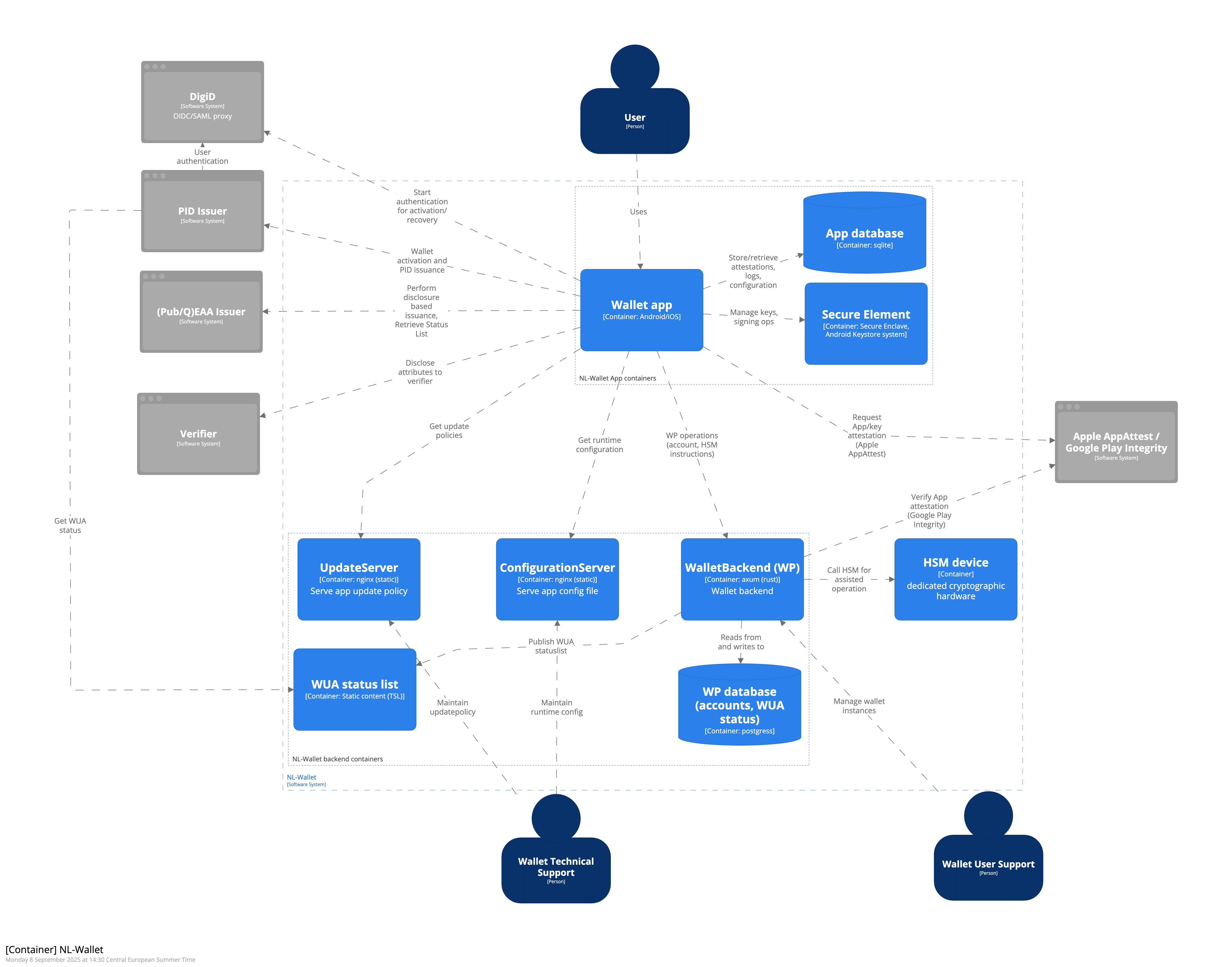
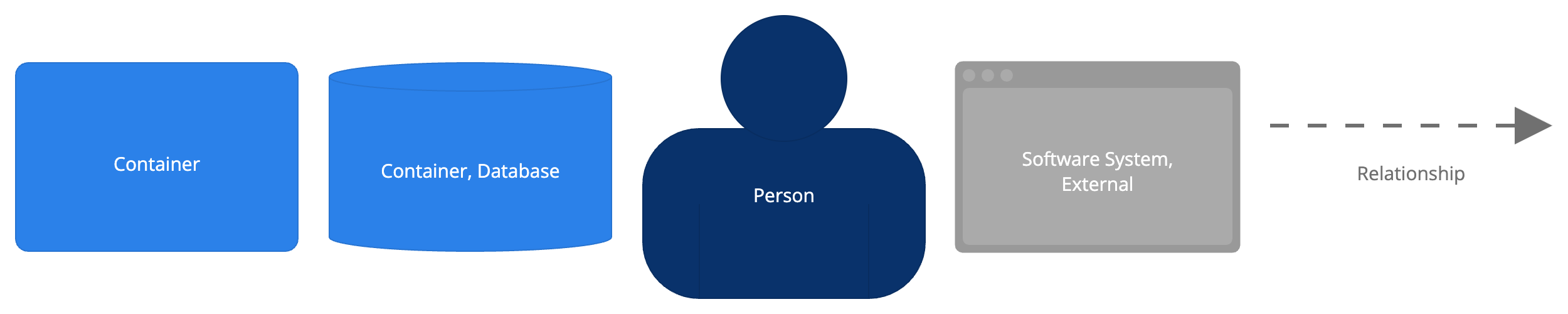
The container diagram shown in Figure 2 describes all applications and data stores (containers) that are part of the NL Wallet Software System. External systems that interact with the containers in the NL Wallet Software System are also shown (gray). (See the Context chapter for a description of the External systems.)
1. Wallet app
The Wallet app is a mobile application that provides the user with an interface to manage stored credentials, retrieve new credentials from issuers and present stored credentials to verifiers. Technology: Android/iOS
Relations:
[I-101] uses the App database to store credentials, configuration and user preferences
[I-102] uses the Secure Element to generate and store app- and PIN private keys and perform signing operations using those keys
[I-103] Interacts with WalletBackend for account management and HSM-assisted operations
[I-104] Uses ConfigurationServer to get runtime configuration
[I-105] Uses UpdateServer to get update policies
[I-106] DigiD to start user authentication for onboarding or recovery [E-201]
[I-107] Receive PID-credential from PID-issuer, for enrollment and recovery [E-101]
[I-108] Retrieve Status List for revocation status of PID credentials from PID-Issuer [E-103]
[I-109] Other Issuers, to retrieve other types of (PUB/Q)EAA credentials [E-301]
[I-110] Retrieve Status List for revocation status of credentials from Other Issuers [E-302]
[I-111] Verifiers, to present stored credentials [E-401]
[I-113] Request App Attest attestation from Apple (iOS only)
[I-114] Send error reports (to Sentry)
2. App database
The App database is an on-device store that is used for storing credentials, app configuration and user preferences. Technology: sqlite (on Android/iOS)
Relations:
Wallet app uses the App database [I-101]
3. Secure Element (external container)
The Secure Element is a tamper-resistant environment that stores cryptographic keys and can perform actions using the stored cryptographic keys. It prevents the keys from being exposed to the rest of the system. Secure Element is considered external because they are provided by the mobile platform.
Technology: Secure Enclave (iOS), Trusted Execution Enivornment (Android)
Relations:
Wallet app uses the Secure Element [I-102]
4. WalletBackend
WalletBackend provides backend services to support the Wallet app. WalletBackend facilitates account management, Wallet Instance Attestation status management and offers an endpoint to the Wallet app to perform HSM-assisted operations.
Technology: axum (rust)
Relations:
Used by Wallet App [I-103]
[I-401] Reads from and writes to database (account data and WIA Status)
[I-402] Generates and publishes WIA status list
[I-403] Sends cryptographic instructions to HSM device to generate keys and perform signing operations
[I-405] Request app integrity verdict from Google Play Integrity (Android only)
[I-406] Issue WIA to Wallet on activation
[I-407] Called by Wallet Revocation portal for wallet revocation
[I-409] Writes to auditdatabase
[A-103] Wallet Unit management functions for Wallet User Support
[A-104] Manage vulnerable devices
5. ConfigurationServer
ConfigurationServer is a content server that serves the Configuration data that is used by the app. Configuration items include: trust roots for issuer and verifier certificates, reference to current update policy, the URLs to components such as the WalletBackend, DigiD and the PID issuer, and more.
Technology: nginx (static)
Relations:
Serves configuration to Wallet app [I-104]
Configuration is maintained by Wallet Technical Support [A-101]
6. UpdateServer
UpdateServer is a content server that serves the Update policy data that is used by the app. The update policy instructs the app to display update notifications to the end-user when appropriate.
Technology: nginx (static)
Relations:
Serves update policy to Wallet app [I-105]
Update policy is maintained by Wallet Technical Support [A-102]
7. WIA status list
The WIA Status list container contains the WIA Status List(s) that provide information about the validity of Wallet Instance Attestations to consumers (Wallet app and PID-issuer). The WIA Status Lists are published by the WalletBackend.
Technology: nginx (static content, Token Status List)
Relations:
Store Status Lists that are generated by WalletBackend [I-402]
Status List is consumed by PID Issuer [E-102]
8. WB database (accounts, WIA status)
The WB database contains user account data, and the statuses for issued Wallet Instance Attestations.
Technology: postgres Relations:
Accessed by WalletBackend [I-401]
9. WB audit database
Database used to write auditlog records.
Technology: postgres Relations:
Accessed by WalletBackend [I-408]
10. HSM device
Dedicated cryptographic hardware used to perform issuing of keys and signing operations.
Technology: (not specified)
Interaction:
Receives instructions from WalletBackend to perform cryptographic operations (PKCS#11) [I-403]
11. Wallet revocation portal
Portal for Wallet Users and Wallet Support to revoke a wallet using the deletion code that is presented during onboarding.
Technology: (web)
Interaction:
Used by Users and Wallet Support
Calls WalletBackend to invoke revocation on the wallet account requested. [I-407]
12. Admin Portal
GUI for administrative roles in the support organization that provides access to support functions, like revocation and vulnerable device management.
Relations:
Used by Wallet administrator
[A-103] Revoke wallet by Wallet Provider
[A-104] Manage list of vulnerable devices (devicetype, OS version, patchlevel)
External systems (Wallet Provider)
The Wallet support organization has applications deployed that interact with the NL-Wallet containers for support, administration, and operations.
E1. CI/CD
DevOps environment from which configuration artifacts are managed.
Relations:
[A-101] Maintain runtime configuration and publish to ConfigurationServer
[A-102] Maintain update policy and publish to UpdateServer
E3. Monitoring
Consumer of health data for health monitoring.
Relations
[A-105] Retrieve health data from WalletBackend
E4. Performance Monitoring
Consumer and aggregator of performance data (for operations).
Relations:
[A-106] Retrieve performance metrics from WalletBackend